
Screenshots

App details
- Version
- 1.23
- Size
- 90.11 KB
- Updated
- March 10, 2010
- Requires
- Windows XP
- Language
- English
- License
- Free
- Developer
- Michael Ascker
- Category
- Windows OS
SoftPas in:
This product is also available in the following languages:
About Moody Desktop
Download Moody Desktop – Automatic Wallpaper Changer for Windows
Overview
Moody Desktop is a lightweight Windows utility designed to keep your desktop fresh and visually engaging without the hassle of manual updates. In today’s remote‑work and gaming‑heavy environment, staring at the same static wallpaper for weeks can become a subtle source of fatigue. Moody Desktop solves that problem by automatically swapping your chosen images at intervals you set, turning a bland screen into a dynamic showcase of your personal photo collection, art, or inspirational quotes. The program supports BMP and JPG formats, lets you arrange images in alphabetical order or random shuffle, and integrates seamlessly into the taskbar for quick access. Whether you prefer a new landscape every hour, a weekly theme change, or an instant “next” button when a picture doesn’t fit your mood, Moody Desktop gives you granular control while staying invisible in the background. The application is free, secure, and requires no ongoing subscription, making it an ideal solution for Windows users who want a simple, set‑and‑forget wallpaper manager.
Key Features & What Sets Moody Desktop Apart
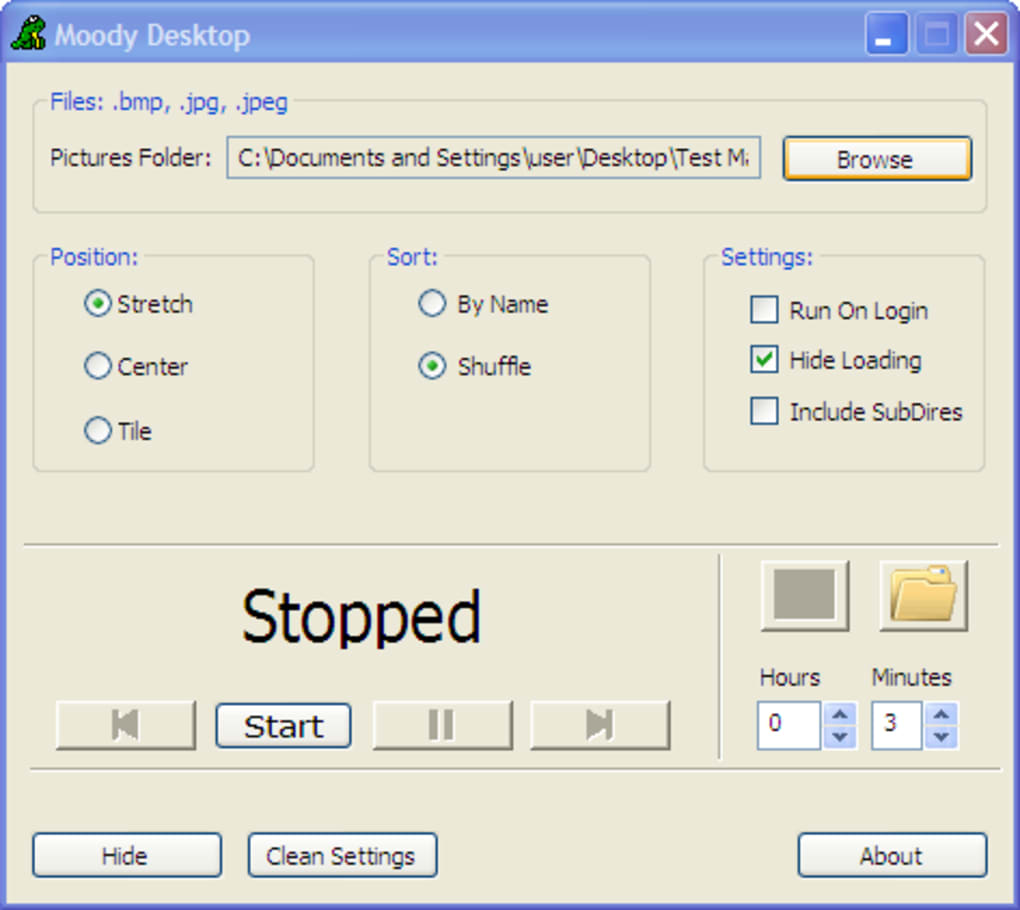
- Automatic wallpaper rotation based on user‑defined time intervals (minutes, hours, days).
- Support for BMP and JPG image formats, ensuring compatibility with most personal photo libraries.
- Two playback modes: sequential order or shuffled random order for varied visual experiences.
- Quick “Next Image” button to skip unwanted pictures without opening the folder.
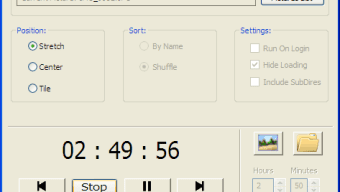
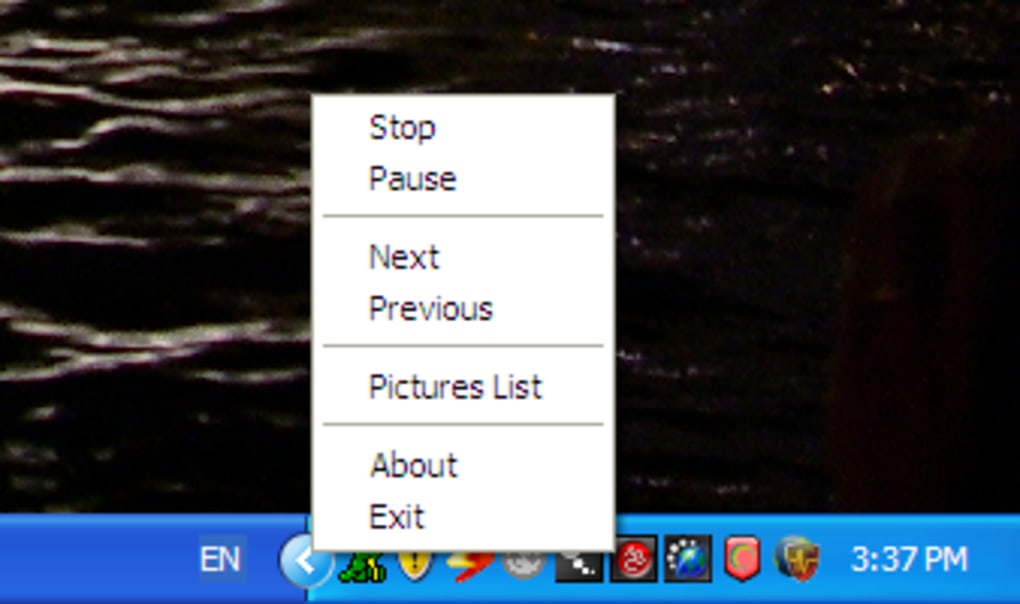
- Taskbar‑resident icon with right‑click context menu for instant access to settings, pause, or exit.
- Option to launch on Windows start‑up, guaranteeing a fresh desktop every time you log in.
- Simple folder‑based image management – just drop or remove files from the selected directory.
- Lightweight footprint (under 5 MB) and negligible CPU usage, preserving system performance.
Pros
- Free and ad‑free, eliminating hidden costs.
- Highly customizable timing, from minutes to days.
- Minimal system impact – works well on older PCs.
- Intuitive right‑click menu for on‑the‑fly adjustments.
- No internet connection required after installation.
Cons
- Windows‑only; no native macOS, Android, or iOS version.
- Lacks built‑in image editing or cropping tools.
- No cloud sync – images must reside locally.
- Interface is functional rather than visually polished.
- Advanced scheduling (e.g., different times per day) not supported.
Installation, Usage & Compatibility
Getting Moody Desktop up and running is straightforward. Follow these steps for a smooth installation:
- Download the latest MoodyDesktopSetup.exe from the official website.
- Run the installer; it will prompt you to accept the license agreement and choose an installation folder (default is
C:\Program Files\MoodyDesktop). - After installation, launch the app. The first‑time setup wizard appears, asking you to select the folder containing your wallpapers.
- Choose the time interval for rotation using the drop‑down menus (e.g., 1 hour, 30 minutes, 2 days).
- Select the order mode – “Sequential” or “Shuffle”.
- Optionally enable “Start with Windows” to ensure the app runs automatically on boot.
Once configured, Moody Desktop minimizes to the taskbar. Right‑click the icon to pause rotation, jump to the next image, or open the settings window for adjustments. The program runs silently in the background, consuming less than 2 % of CPU resources during idle periods.
Compatibility: Moody Desktop is built for Windows 10, Windows 11, and legacy Windows 7/8. It requires .NET Framework 4.6 or higher, which is pre‑installed on most modern Windows systems. The app does not support macOS, Linux, Android, or iOS, so users on those platforms will need alternative wallpaper tools.
Frequently Asked Questions
Can I use PNG images with Moody Desktop?
Moody Desktop officially supports BMP and JPG files. While PNG images are not listed, many users report that the program can still display them if the file extension is changed to .jpg, though this is not guaranteed.
How much RAM does Moody Desktop consume?
The application uses less than 20 MB of RAM during normal operation, making it suitable for low‑end PCs and laptops.
Is there a way to schedule different wallpapers for weekdays vs. weekends?
Moody Desktop does not include advanced scheduling features. Users would need to create separate folders and manually switch the source folder to achieve a weekday/weekend split.
Can I run Moody Desktop on a corporate machine with limited admin rights?
Yes, the installer offers a “portable” mode that extracts the executable to a user‑writable directory, allowing operation without administrator privileges.
Does Moody Desktop support multi‑monitor setups?
The current version changes the wallpaper on the primary monitor only. Multi‑monitor support is planned for a future release.
Final Verdict & Call to Action
Moody Desktop delivers exactly what its name promises: a simple, reliable way to keep your desktop looking fresh without demanding constant attention. Its strength lies in its minimalistic design, low resource usage, and the freedom to curate your own image collection. While the lack of cross‑platform support and advanced scheduling may deter power users, the core functionality is more than adequate for most Windows enthusiasts who crave visual variety. If you’re looking for a free, secure, and hassle‑free wallpaper manager that works out‑of‑the‑box, Moody Desktop is a solid choice.
Ready to spice up your screen? Free download the latest version today and let your desktop reflect your mood, one image at a time.
Guides & Tutorials
How to install Moody Desktop
- Click the Download button above.
- Once redirected, accept the terms and click Install.
- Wait for the Moody Desktop download to finish on your device.
How to use Moody Desktop
This software is primarily used for its core features described above. Open the app after installation to explore its capabilities.
User Reviews
No reviews yet. Be the first to share your experience.
You may also like
more
Llama 2
Free-to-use large language model As the new addition to Meta’s arsenal of langua...

NotebookLM
Revolutionizing the note-taking and idea-generation process NotebookLM is an exp...

Github co pilot
AI-inspired software development and coding platform GitHub Copilot is a browser...

Google Gemma
Google’s lightweight AI models Introducing Google Gemma , a family of cutting-ed...

AI Image Enlarger
A free app for Windows, by ai-image-larger. AI Image Enlarger is a free software...

DALL E
AI-driven text-to-image transformation engine DALL·E is a free graphic and desig...